
© Copyright 2004-2026 SCREEN PRO® All Rights Reserved | Specifications are subject to change without notice. All Rights ReservedSite Map Designed by iwonder.cn


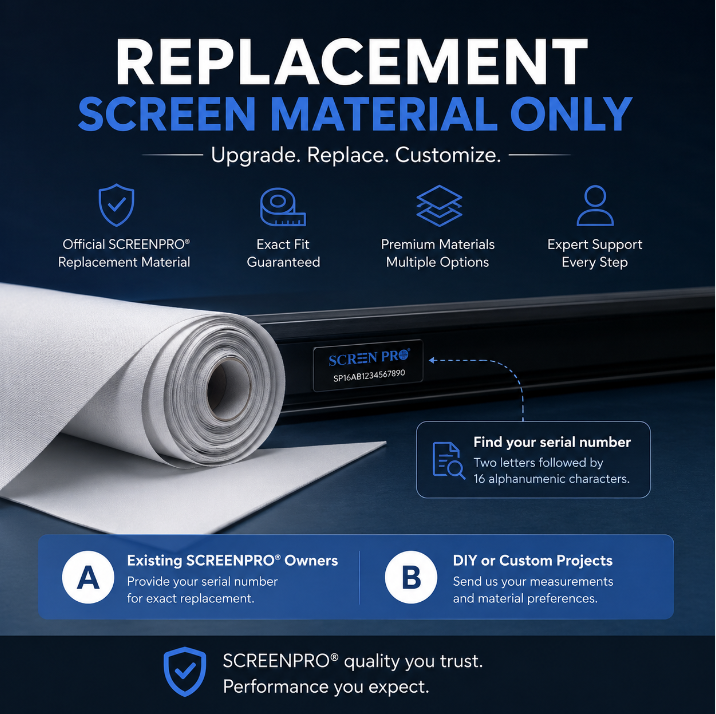
Yes. SCREENPRO® offers replacement projection screen materials for selected SCREENPRO screen systems. We can also evaluate custom screen material requirements for certain third-party frames and DIY projects.
The information required depends on whether you already own a SCREENPRO® screen or would like to install SCREENPRO material on another screen system.
If you currently own a SCREENPRO® projection screen and would like to replace or upgrade the screen material, the easiest way to identify the correct replacement is to provide your screen serial number.
The serial number helps our team identify:
Where can I find the serial number?
SCREENPRO® serial numbers are typically located on the side or rear of the screen housing or frame.
Serial number format: Two letters followed by 16 alphanumeric characters.
Replacing material on a SCREENPRO screen?
Send us the serial number first. In most cases, this allows our team to identify the original screen configuration without requiring you to measure the material manually.
If you already have a projector screen frame from another manufacturer, or you are building a custom screen, SCREENPRO® may be able to fabricate screen material according to your existing dimensions and attachment structure.
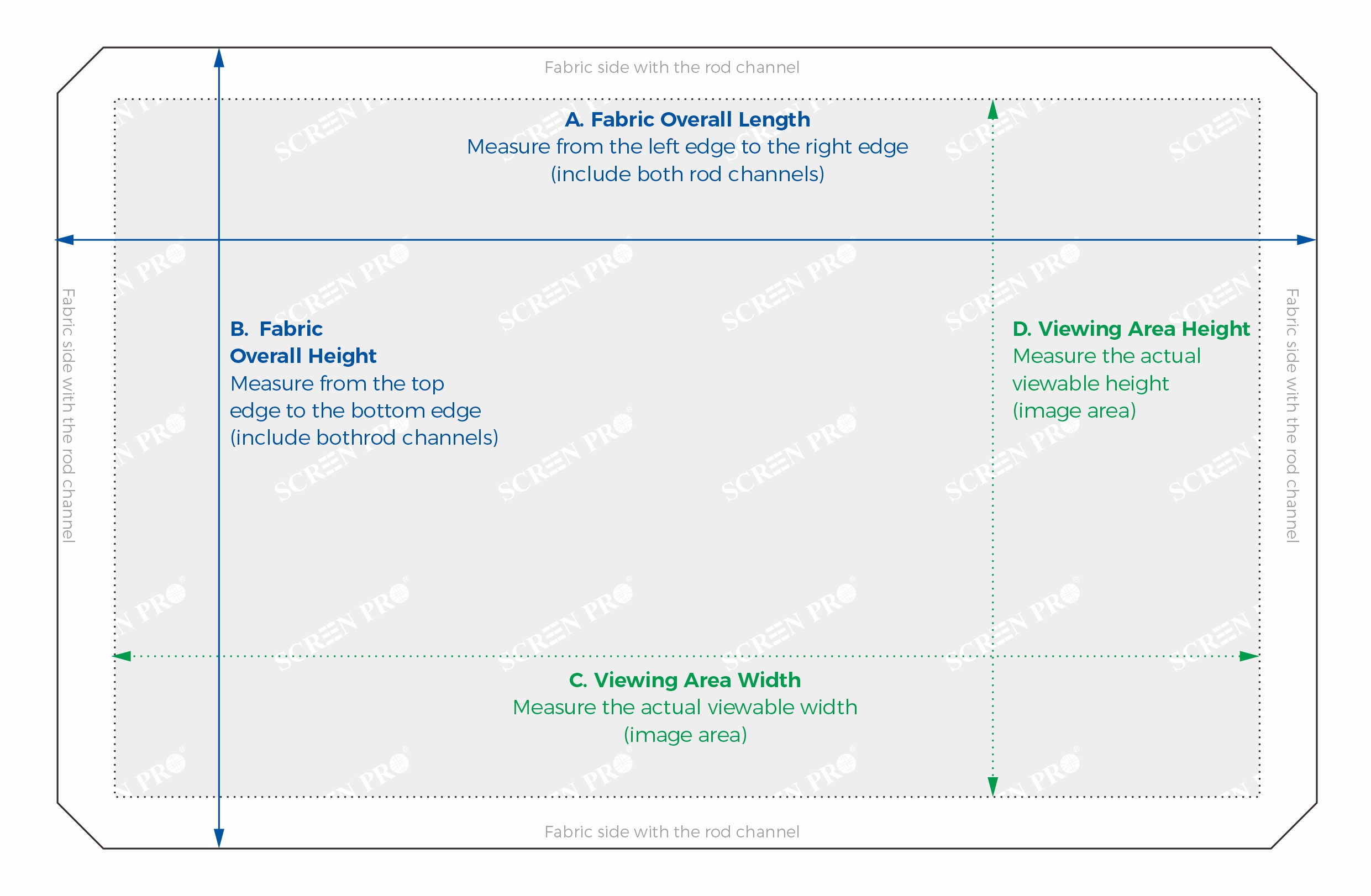
To evaluate the project accurately, please remove the existing material and lay it flat on a clean surface whenever possible. Measurements should be taken from the material itself rather than from the outer dimensions of the frame.
Please provide the following four measurements:
 Why do we need both the overall size and viewing area size?
The overall fabric dimensions tell us the finished size of the material, while the viewing area dimensions help us determine the required edge allowance, rod-pocket position and other fabrication details.
If the top, bottom, left and right edges are not symmetrical, our team may ask for additional edge measurements before production.
Please watch the video below before taking measurements. It shows how to measure the existing screen material and identify the dimensions required for customization.
Different projector screen manufacturers use different methods to tension and attach the material. Dimensions alone may not show these structural differences.
Please also provide:
For third-party frames:
Our team will review the dimensions and attachment details you provide and fabricate the material as closely as possible to the supplied specifications. As the original frame and mounting structure are not manufactured by SCREENPRO®, exact compatibility with every third-party frame cannot be guaranteed. Please verify all measurements and attachment details carefully before placing a custom order.
Material availability depends on the screen structure, projector type, screen size, and intended application. Not every projection material is suitable for every frame or tensioning system.
When contacting us, please also tell us:
For example, customers using RGB triple-laser projectors may be interested in SCREENPRO anti-speckle materials such as 3C or 3W. Our team can review the projector and installation requirements before recommending a suitable option.
For a faster evaluation, please prepare:
Not sure where to start?
If you own a SCREENPRO® screen, simply send us the serial number. For a third-party frame or DIY project, send us the four measurements above together with photos of the existing material and attachment structure. Our team will review the information before confirming whether customization is suitable.
Not sure which material is suitable for your projector? Explore SCREENPRO Projection Screen Materials.
For RGB triple-laser projectors where speckle reduction is important, learn more about SCREENPRO 3W Anti-Speckle Material.





© Copyright 2004-2026 SCREEN PRO® All Rights Reserved | Specifications are subject to change without notice. All Rights ReservedSite Map Designed by iwonder.cn